3: Navigating through the metadata

This page gives a detailed guide on how one can navigate and get more information on datasets.
_images/chap3a.png
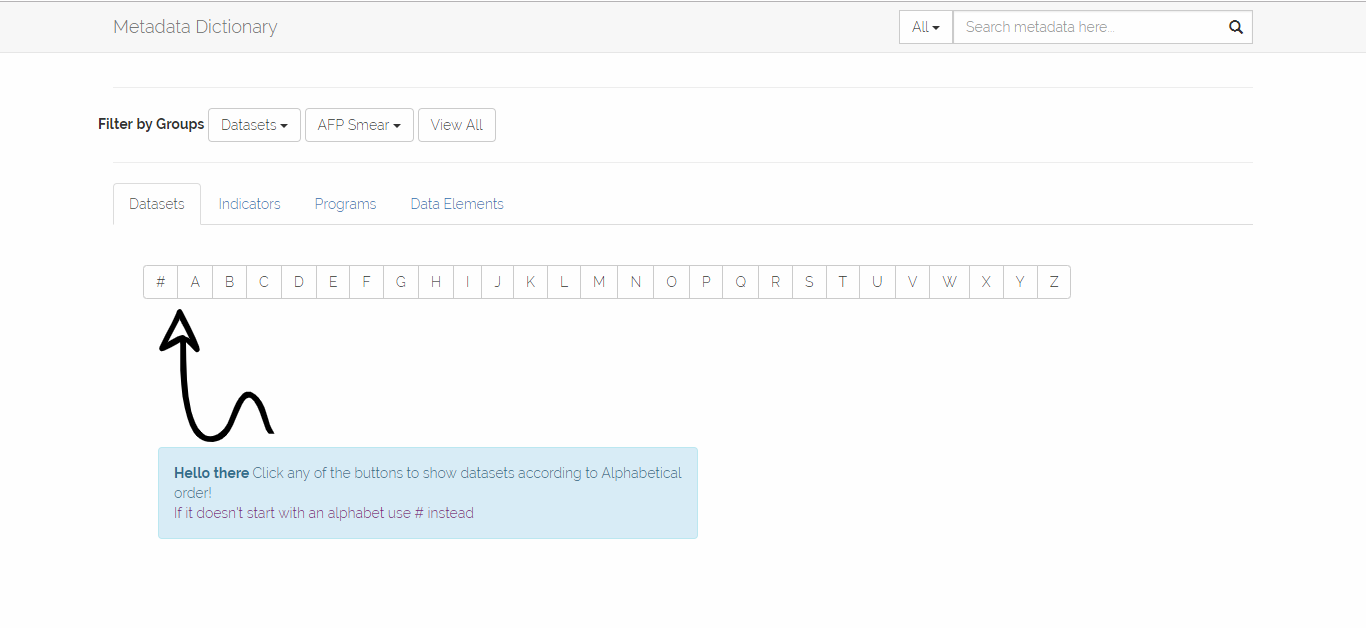
  1. On-clicking the Data-sets button an hashed and alphabetical list of buttons is brought forth.
  2. Clicking these buttons a list of Data-sets starting with the corresponding alphabets on the buttons will be shown.
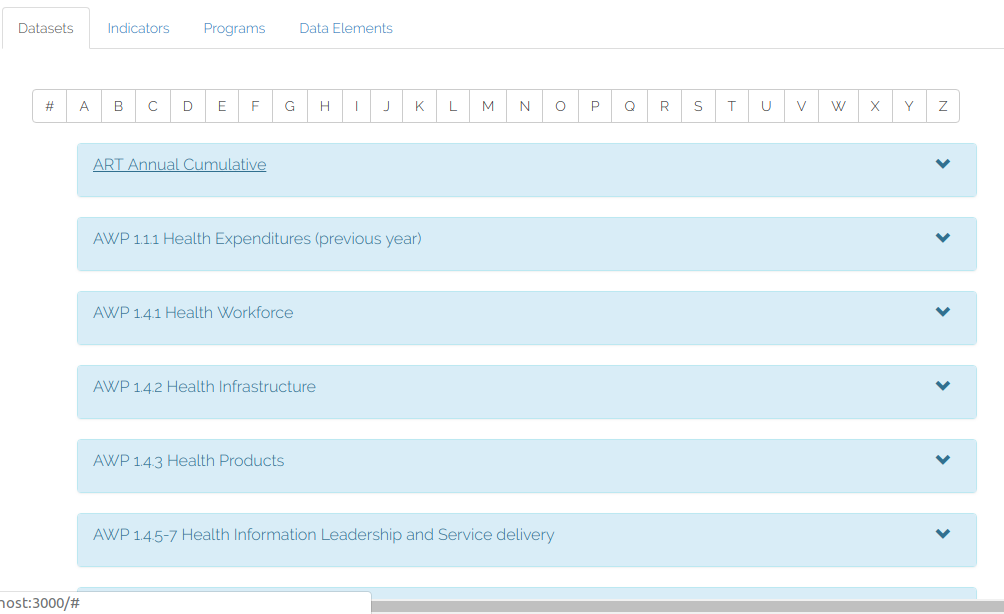
  3. Say a user clicks “A” the results below will be shown.
_images/chap3b.png

Metadata Dictionary

Navigation

Contents:

  • 1: Opening the App
  • 2: Landing Page
  • 3: Navigating through the metadata
  • 4: Details Page
  • 5: Exporting Data to local storage
  • 6: Searching
  • 7: Filtering by group
  • 8:Editing the Descriptions
  • 9: Reporting Errors and general feedback
  • 10: How can i contribute

Related Topics

  • Documentation overview
    • Previous: 2: Landing Page
    • Next: 4: Details Page

Quick search

©2018, Evans Wahome Gichuki. | Powered by Sphinx 1.7.9 & Alabaster 0.7.12 | Page source